iOS 27 preview: Long-awaited Siri AI is practical but plain
Before we dig into the next-gen assistant, let's touch on what iOS 27 looks like, which is... mostly iOS 26. There are some welcome fine-tuned
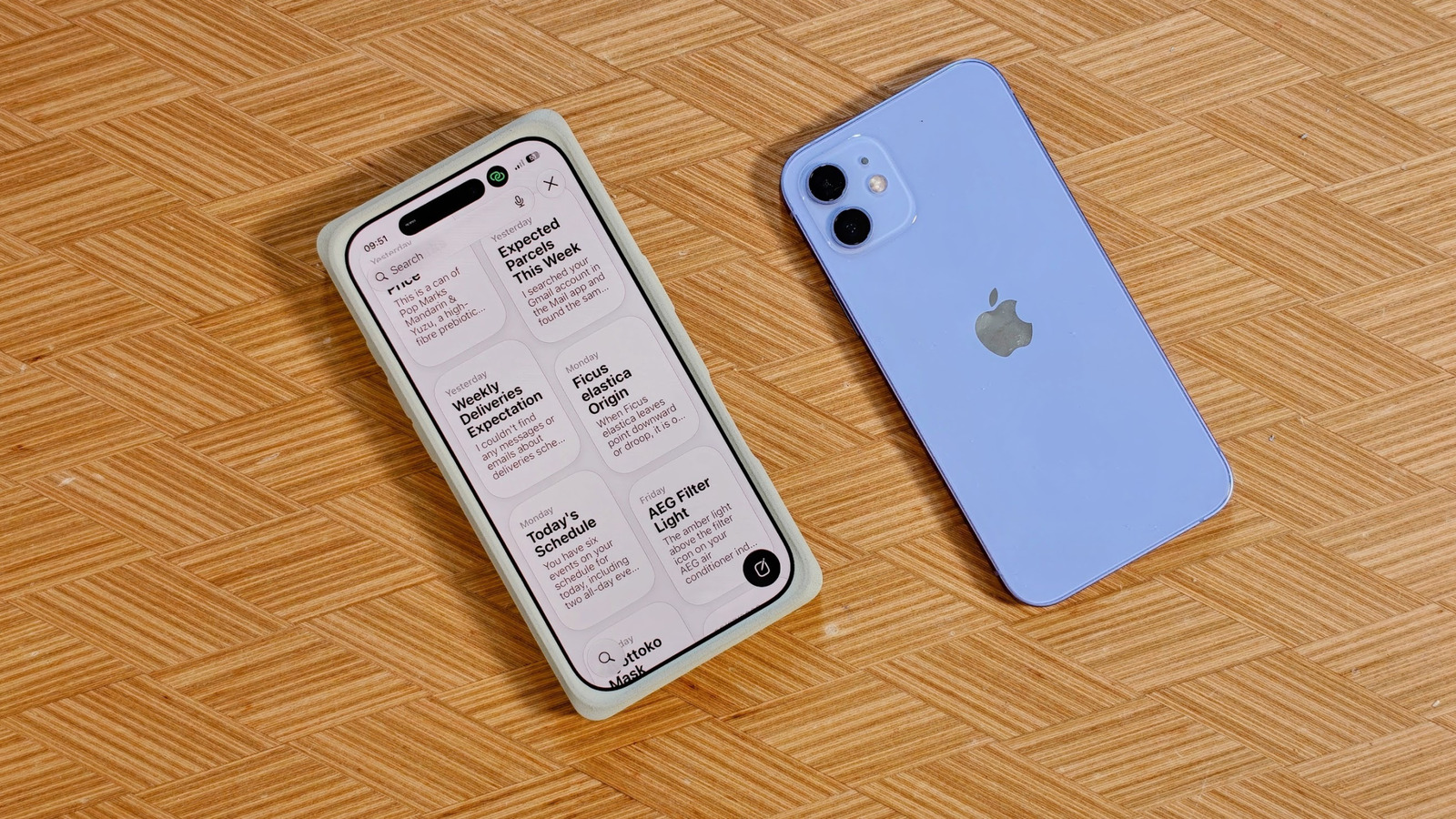
Before we dig into the next-gen assistant, let's touch on what iOS 27 looks like, which is... mostly iOS 26. There are some welcome fine-tuned design features, like more granular control over system transparency and all those semi-transparent panels and UI elements. Nudge the slider all the way to the right, and iOS 27 has a heavily tinted, solid look. Apple has adjusted how iOS renders complex background images, adding darker outlines around translucent menus and brighter reflections to help differentiate between layout layers. But iOS 27 is really all about Siri. In the face of rapidly growing AI assistants, apps and services — whether that's Gemini, ChatGPT orClaude — Apple's Siri was left in the dust. With iOS 27, Apple Intelligence and Siri AI have caught up substantially with their rivals, although there are still fewer remarkable features than we might have hoped for. The changes start with how you interact with Siri. In addition to saying "Hey Siri" near your iPhone, or holding the side button, the assistant can now be accessed by swiping down from the Dynamic Island. While it's a tidy piece of UI design, I found the interaction a bit cramped; swiping down from the top already invokes your Control Center (right side) and notifications (left side). A third addition to the top edge makes it a little crowded. I hope muscle memory will eventually kick in. There's also a dedicated Siri app, which keeps a persistent history of your requests and interactions. Cleverly, it won't store timers and other simple tasks. I think Siri's new app is where there's plenty of room to improve: If you upload images to Siri to interact with or access, it won't show a thumbnail or even a confirmation. This meant I'd attempt to upload the same image multiple times without a result.
That's an easy fix, though. Another Siri AI feature is "Expressive Voice," which lets you customize the expressiveness and pace of Siri's voice. It's only available in US English, though, with one male and one female voice option. I appreciate the fine-tuning as I find most voice assistants either too chipper or too slow. Mat Smith for Engadget Siri AI works best when it's drawing on context, figuring out what you want and pulling it from inside your iPhone. For example, pulling up the Siri dropdown and typing in "Black Clover" will show the episode I was most recently watching on Crunchyroll. This upgraded phone search does what the likes of Claude and ChatGPT can't because Siri AI is built into your iPhone. In fact, it can take several days for Siri AI to index and optimize its search across everything on your phone once you've upgraded to iOS 27. Apple suggests keeping your phone plugged in to charge longer to speed up this often lengthy process. (You can also block apps you don't want Siri to delve into for results.) While it sometimes shines, it's still in beta. I found I had to ensure I was using the built-in Mail app, not Gmail (my main email app), for Siri to unearth delivery messages and updates. Hopefully, third-party app compatibility will improve in time. This might be a specific 'me' thing, but using the new Siri finally offers a direct and swift way to interact with timers, stopwatches and alarms without having to dabble in widgets or bounce around the clock app. iOS 27 also introduces a new XL widget size option for those looking for a full-screen info-dump, or at least a calendar widget you can actually read and interact with. For now, it's predominantly native apps, but it hasn't taken long for major app developers to release upgraded widgets ahead of the official launch for previous iOS updates.
 The BriefWire