Logitech Mobi Fold review: The ultra-compact travel mouse
Fans of old Microsoft peripherals might notice a lot of similarities between Mobi Fold and the Arc mouse line, as Logitech's latest cursor looks like
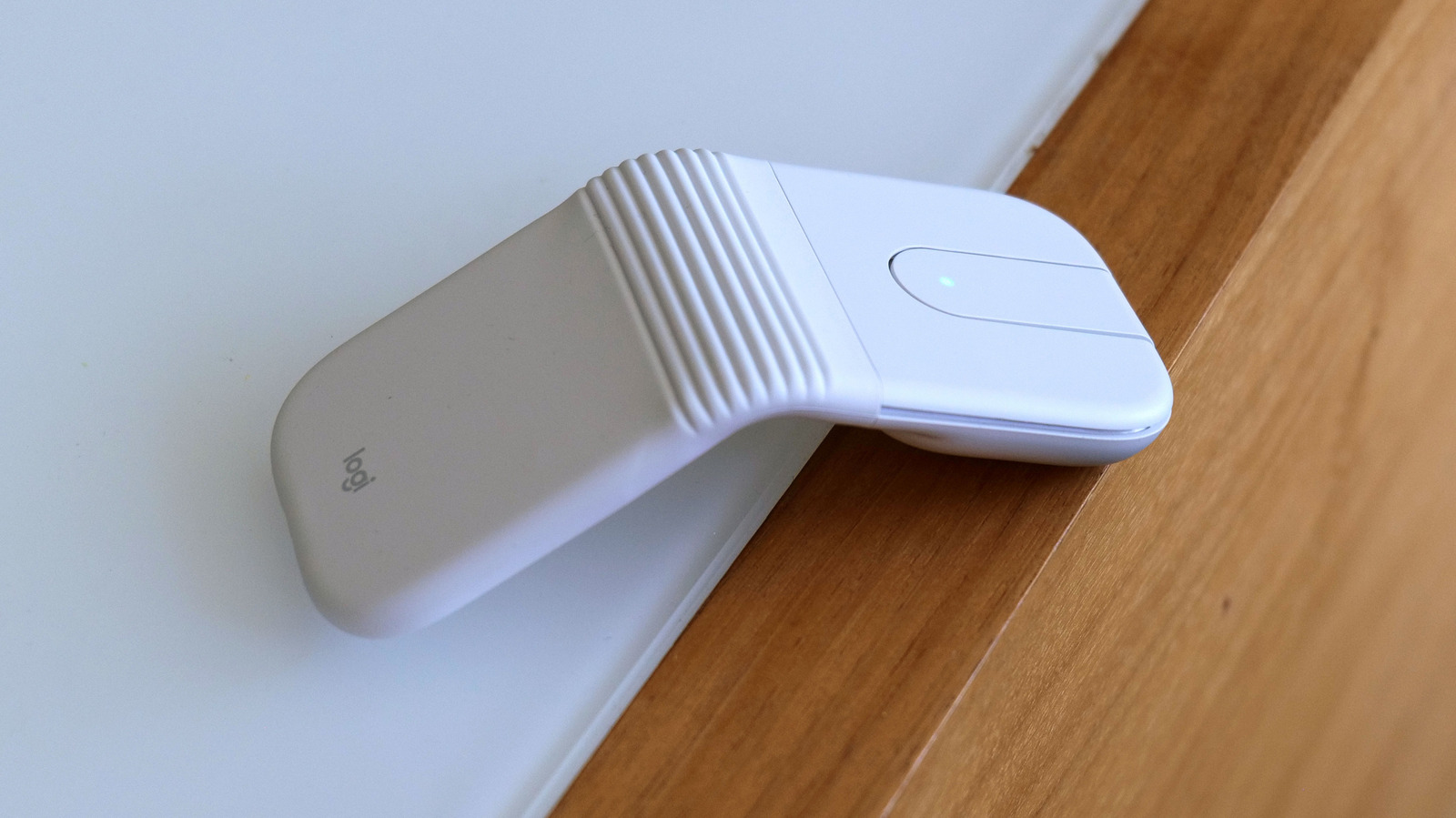
Fans of old Microsoft peripherals might notice a lot of similarities between Mobi Fold and the Arc mouse line, as Logitech's latest cursor looks like a modernized spiritual successor to a family of gadgets that were arguably ahead of their time. For traveling, the Mobi Fold bends in half to become a small 2.2 x 2.5 inch rectangle that's less than an inch thick and weighs barely more than two ounces. It's so small it practically disappears into a bag and can easily be slipped into a pocket, even if you're limited by the comically small pockets you often find on women's pants.
When you want to get some work done, you can simply unfold the mouse, set it on a table and get right back to clicking, highlighting and pointing. The Mobi Fold features physical left and right mouse buttons that are dampened so pressing them won't distract nearby colleagues. In the middle, there's a small touchpad that serves as your mousewheel, allowing you to quickly and accurately scroll through long docs and websites.
You can even press down on the touchpad to get a middle mouse click (or scroll wheel click depending on what you call it). And if you want to customize what any of these buttons do, you can always change their behavior inside Logitech's free Options+ companion app. On the bottom, there's a button for pairing the Mobi Fold over Bluetooth with up to three different devices at the same time, along with handy indicator lights to let you know which one is currently selected.
There's also a cutout for the mouse's sensor, a USB-C port for charging around back and some built-in feet to ensure the Mobi Fold glides smoothly over all sorts of surfaces.
 The BriefWire